
Future Architecture
Learn AI▼Resources▼AI Watch▼Tools▼
Future Architecture
Future Architecture
Future Architecture

The community of architects learning AI by doing — to spend less time on admin and more on design.

AI for AEC

  • AI Tools
  • AI Use Cases
  • AI Concepts
  • AI Tutorials

Learn & Practice AI

  • Courses
  • Workshops
  • Webinars
  • Memberships
  • Clients and partners
  • Claude Skills

Future Architecture

  • Support Future Architecture
  • Subscribe on YouTube
  • Connect on LinkedIn
  • Follow on Instagram

SuperArchi

  • AI Meeting Minutes
  • AI Tender Management
  • AI Knowledge Base
  • AI Price Database

Legal

  • Terms of Sale
  • Legal Notice
  • Privacy Policy
  • Refund Policy
  • Cookie Policy

© 2026 Future Architecture. All rights reserved.

Connect:

← Back to blog posts

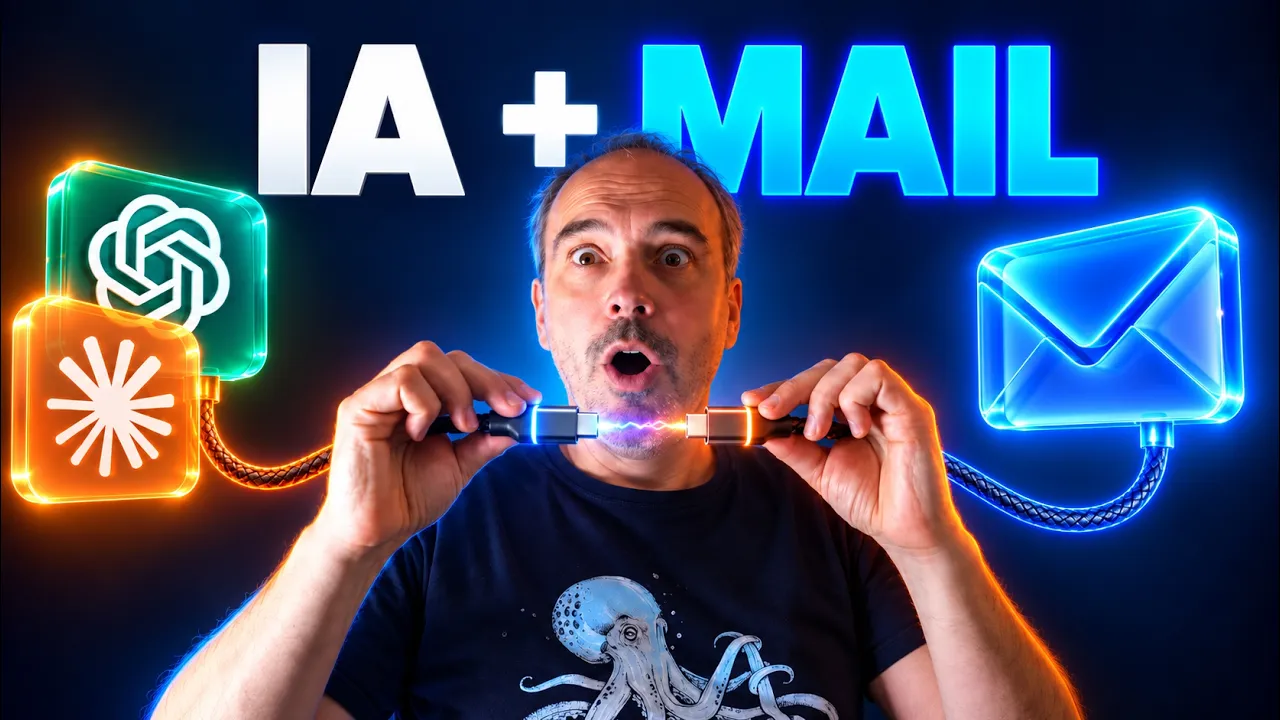
10 ways to save time by connecting AI to your email

Two months after connecting ChatGPT and Claude to my inbox, here are 10 use cases that save architects time every day.
Oct 8, 2026
AI and email: connecting ChatGPT and Claude to your inbox

10 ways to save time by connecting AI to your email

How much time do you spend in your inbox every day? Finding a contractor's email, checking whether a client replied, rereading a long thread to figure out where a project stands...

Two months ago, I connected ChatGPT and Claude to my inbox. And I'm not going back.

At first, I was skeptical. I didn't see the point, and giving AI access to the full history of my exchanges made me uneasy.

But in architecture, official exchanges happen by email. That's where the life of your projects is. A huge source of information that nobody has time to explore by hand. AI can.

In my latest video (in French), I show 10 use cases I actually rely on. Here they are, summed up in four steps:

  • Finding information
  • Sorting and summarizing
  • Writing and acting
  • Automating

Finding information

The other day, at a government office counter, I had to find two specific emails while someone was waiting. Instead of digging through my phone, I asked ChatGPT. Less than a minute later, I had them, and I forwarded them straight to the person.

It also works for longer searches: listing the key dates of a construction project with the email that proves each step, or finding what you told a contractor, and when.

And even for business development. Without a CRM, AI can go through a year of emails and find the conversations that went nowhere. A prospect who wasn't ready six months ago might be ready today.

The workflow

  1. Describe what you're looking for: a person, a topic, a time period
  2. AI searches your inbox and shows you the emails it found
  3. For long searches, it logs its work as it goes in a document you can check
  4. You forward, follow up, or keep the summary

Sorting and summarizing

Several times a day, you open your inbox to see whether a client replied, buried among emails that have nothing to do with it.

The other day, standing in line, I asked AI which important emails had come in since the morning. It sorted them and summed up what was urgent. And since I don't read the emails directly, even a tense message gets a neutral first read.

Another use: sending yourself the summary of a conversation with AI. After a twenty-minute brainstorm on my strategy, I had the summary emailed to me. I printed it and pinned it up in my office.

By the way, if you want to try these use cases without figuring out how to phrase your requests, I've put together a free cheat sheet (in French) with a ready-to-copy prompt for each of the 10 use cases.

The workflow

  1. Ask for the important emails received since a given date, leaving out newsletters
  2. AI sorts them and summarizes what needs a reply
  3. For an important conversation with AI, ask for a summary at the end
  4. It emails it to you, or saves it to your Drive or your computer

Writing and acting

Here, the connector doesn't just read anymore: it writes and it sends.

At the train station, with no time to write properly, you ask AI what the email expects from you, then dictate your reply. It drafts, you adjust, it sends.

It's even more useful for the paperwork we keep putting off: refunds, grants, annual filings, applications. AI checks what's required, gathers the documents from your folder, and drafts the email. How many opportunities have I dropped simply because I couldn't face the paperwork?

And to gather a project's attachments, like all the site meeting minutes, it finds them and saves them to the folder of your choice.

The workflow

  1. Ask AI what's expected of you, or what a process requires
  2. Dictate your reply, and it drafts it and gathers the documents
  3. Check the draft or the list of attachments
  4. Approve, and it sends or downloads

Automating

The last level: AI that acts without you.

Waiting for a document from a contractor by a certain date? Ask AI to send the email and create a scheduled task. On the day, it checks whether the contractor replied, and follows up if needed. No more reminders in your calendar.

The use case I'm asked about most in my training sessions is automatically sorting the firm's shared inbox, where all projects get mixed up. It's possible today, but start with the simpler cases: it requires a recurring task, which uses up credits. Start with a low frequency, and filter out spam and newsletters.

The workflow

  1. Define the task: what to check, when, and what to do depending on the result
  2. AI creates a scheduled task
  3. At the set time, it connects to your inbox and acts on its own
  4. Adjust the frequency based on how useful it really is

To sum up

Many architects tell me they don't have a connector, or that they're hesitant to connect their email. That's understandable.

But AI is now moving to the center of your daily work. It no longer works like a chat you ask to fix an email, but like an agent that works with your tools.

If you haven't tried it yet, start with the simplest thing: finding an email. You'll quickly see the difference.

And speaking of connectors, skills and scheduled tasks, that's exactly what my AI System course (in French) is about.

I explain how these AIs work, how to set them up, and how to apply them to your daily work as an architect. Use the code IA-MAILS for 30% off for two weeks.

See you soon,

Sébastien

Most popular pack

Your AI assistants for architects, ready to use

The AI Assistants for Architects pack bundles our best prompts and workflows for Claude, Midjourney, and Revit.

← Back to blog posts

10 ways to save time by connecting AI to your email

Two months after connecting ChatGPT and Claude to my inbox, here are 10 use cases that save architects time every day.

Oct 8, 2026
AI and email: connecting ChatGPT and Claude to your inbox

10 ways to save time by connecting AI to your email

How much time do you spend in your inbox every day? Finding a contractor's email, checking whether a client replied, rereading a long thread to figure out where a project stands...

Two months ago, I connected ChatGPT and Claude to my inbox. And I'm not going back.

At first, I was skeptical. I didn't see the point, and giving AI access to the full history of my exchanges made me uneasy.

But in architecture, official exchanges happen by email. That's where the life of your projects is. A huge source of information that nobody has time to explore by hand. AI can.

In my latest video (in French), I show 10 use cases I actually rely on. Here they are, summed up in four steps:

  • Finding information
  • Sorting and summarizing
  • Writing and acting
  • Automating

Finding information

The other day, at a government office counter, I had to find two specific emails while someone was waiting. Instead of digging through my phone, I asked ChatGPT. Less than a minute later, I had them, and I forwarded them straight to the person.

It also works for longer searches: listing the key dates of a construction project with the email that proves each step, or finding what you told a contractor, and when.

And even for business development. Without a CRM, AI can go through a year of emails and find the conversations that went nowhere. A prospect who wasn't ready six months ago might be ready today.

The workflow

  1. Describe what you're looking for: a person, a topic, a time period
  2. AI searches your inbox and shows you the emails it found
  3. For long searches, it logs its work as it goes in a document you can check
  4. You forward, follow up, or keep the summary

Sorting and summarizing

Several times a day, you open your inbox to see whether a client replied, buried among emails that have nothing to do with it.

The other day, standing in line, I asked AI which important emails had come in since the morning. It sorted them and summed up what was urgent. And since I don't read the emails directly, even a tense message gets a neutral first read.

Another use: sending yourself the summary of a conversation with AI. After a twenty-minute brainstorm on my strategy, I had the summary emailed to me. I printed it and pinned it up in my office.

By the way, if you want to try these use cases without figuring out how to phrase your requests, I've put together a free cheat sheet (in French) with a ready-to-copy prompt for each of the 10 use cases.

The workflow

  1. Ask for the important emails received since a given date, leaving out newsletters
  2. AI sorts them and summarizes what needs a reply
  3. For an important conversation with AI, ask for a summary at the end
  4. It emails it to you, or saves it to your Drive or your computer

Writing and acting

Here, the connector doesn't just read anymore: it writes and it sends.

At the train station, with no time to write properly, you ask AI what the email expects from you, then dictate your reply. It drafts, you adjust, it sends.

It's even more useful for the paperwork we keep putting off: refunds, grants, annual filings, applications. AI checks what's required, gathers the documents from your folder, and drafts the email. How many opportunities have I dropped simply because I couldn't face the paperwork?

And to gather a project's attachments, like all the site meeting minutes, it finds them and saves them to the folder of your choice.

The workflow

  1. Ask AI what's expected of you, or what a process requires
  2. Dictate your reply, and it drafts it and gathers the documents
  3. Check the draft or the list of attachments
  4. Approve, and it sends or downloads

Automating

The last level: AI that acts without you.

Waiting for a document from a contractor by a certain date? Ask AI to send the email and create a scheduled task. On the day, it checks whether the contractor replied, and follows up if needed. No more reminders in your calendar.

The use case I'm asked about most in my training sessions is automatically sorting the firm's shared inbox, where all projects get mixed up. It's possible today, but start with the simpler cases: it requires a recurring task, which uses up credits. Start with a low frequency, and filter out spam and newsletters.

The workflow

  1. Define the task: what to check, when, and what to do depending on the result
  2. AI creates a scheduled task
  3. At the set time, it connects to your inbox and acts on its own
  4. Adjust the frequency based on how useful it really is

To sum up

Many architects tell me they don't have a connector, or that they're hesitant to connect their email. That's understandable.

But AI is now moving to the center of your daily work. It no longer works like a chat you ask to fix an email, but like an agent that works with your tools.

If you haven't tried it yet, start with the simplest thing: finding an email. You'll quickly see the difference.

And speaking of connectors, skills and scheduled tasks, that's exactly what my AI System course (in French) is about.

I explain how these AIs work, how to set them up, and how to apply them to your daily work as an architect. Use the code IA-MAILS for 30% off for two weeks.

See you soon,

Sébastien

Most popular pack

Your AI assistants for architects, ready to use

The AI Assistants for Architects pack bundles our best prompts and workflows for Claude, Midjourney, and Revit.